Installation
Companion
If you already run immich with Docker Compose, the simplest setup is to add one service to that existing compose file.
Use a normal Docker port mapping on 4383. Do not expose the companion to the public internet.
Preferred setup
- Add the service to your existing Immich
docker-compose.yml. - Keep the companion in the same trusted LAN as your Roku and immich server.
- Keep
/datapersisted with a Docker volume.
Reference file: docker-compose.yml
Copy/paste snippet:
# docker-compose.yml
# Add this service to your existing Immich docker-compose.yml.
services:
  immich-lounge-companion:
    image: ghcr.io/immich-lounge/immich-lounge-companion:latest
    container_name: immich-lounge-companion
    pull_policy: always
    ports:
      - "4383:4383" # change the left side if 4383 is already in use; do NOT expose publicly
    volumes:
      - immich-lounge-data:/data
    environment:
      - ASPNETCORE_URLS=http://+:4383
    restart: unless-stopped

volumes:
  immich-lounge-data:
docker compose up -d
The companion stores settings, profiles, and cache data under /data.
To update later:
docker compose pull
docker compose up -d
Roku apps
Add the Roku apps to your account:
| App | Channel Store | Add Link |
|---|---|---|
| Immich Lounge | Open in Store | Add to Account |
| Immich Lounge Screensaver | Open in Store | Add to Account |
Install on your Roku:
- Immich Lounge
- Immich Lounge Screensaver
The channel handles normal playback. The screensaver is configured from Roku system settings.
First Roku setup
Open Immich Lounge on Roku and enter the companion URL:
http://192.168.1.10:4383
Then choose a profile.
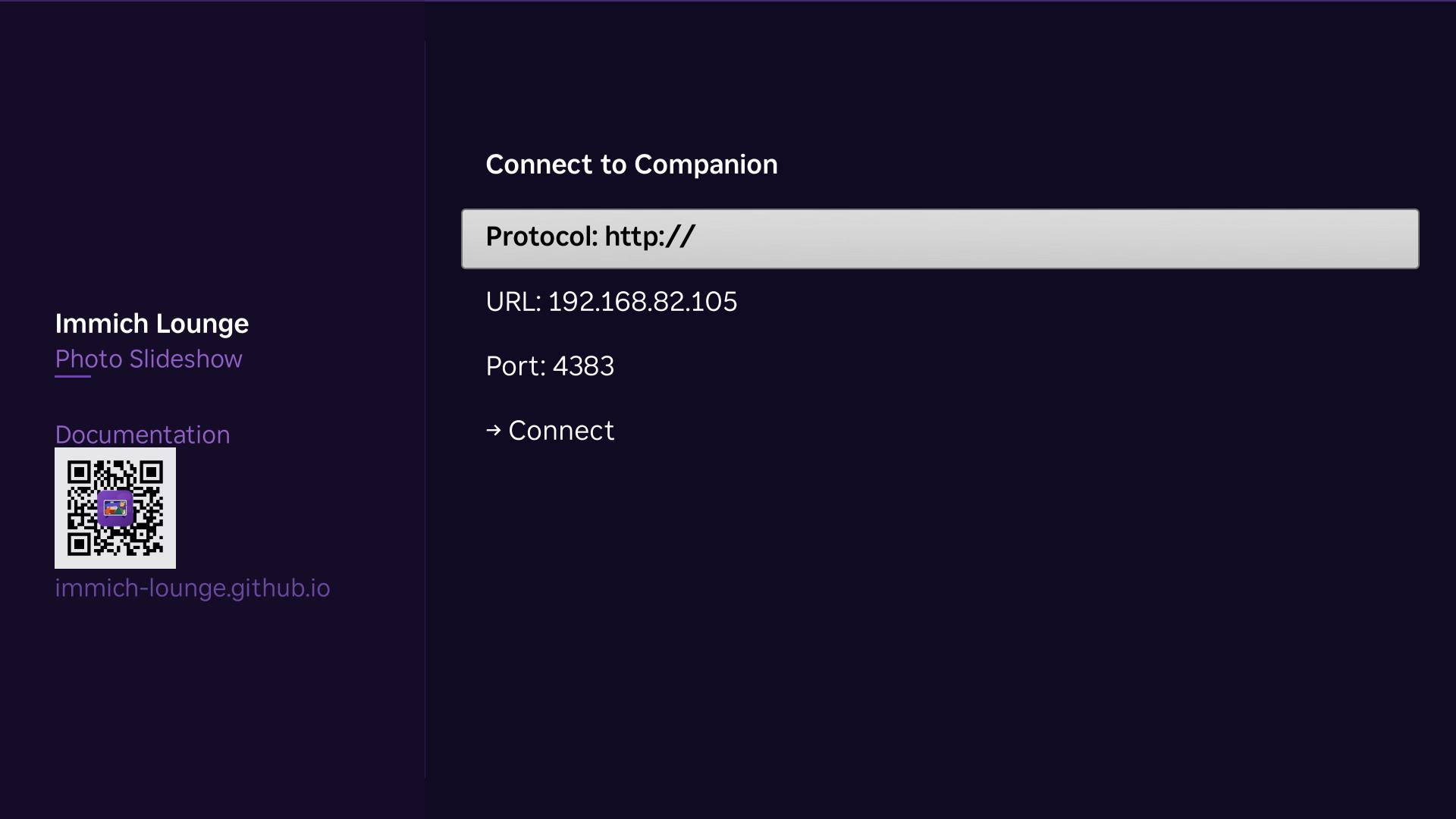
Manual companion setup on Roku uses the companion host and port 4383.
Screensaver setup
From the Roku home screen, go to Settings -> Theme -> Screensavers, switch the active screensaver to Immich Lounge Screensaver, then open Configure Screensaver.
The screensaver can share the same companion URL and use either the same or a different profile.
For the step-by-step Roku flow, see Using the Roku Apps and Roku's own help article: How to change the screensaver on your Roku streaming device.
Network notes
You usually only need two paths to work:
- Roku to companion on port
4383 - Roku to immich on your immich server port, usually
2283
The Roku fetches media and most metadata directly from immich. The companion is not a media proxy.
After install
- Use Configuration to understand the available connection and profile settings.
- Use Using the Companion for the normal companion workflow after setup.
- Use Using the Roku Apps for first-run flow, remote controls, and the Roku settings menu.